|
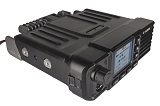
Screen Display |
|
 |
3 Programming Keys |
| |
An LCD screen allows users
to view channels, call up stored information and
navigate through the radio’s features. |
|
|
You can program or assign to perform a user specific
function. Personalize the required functions for
convenient and quick operation. |
 |
Receiver Only |
|
 |
Signal Strength Indicator |
| |
In some special cases, you only need to receive and do
not need to transmit, then you can enable this function. |
|
|
The Signal Strength
Indicator measures the amount of power present in a
radio signal. It is an approximate value for signal
strength received on an antenna. |
 |
Power Adjustable |
|
 |
Channel Alias |
| |
This feature allows you to
switch between high and low power modes on the radio(25W/10W/4W). |
|
|
Allows the user to give each channel a user defined
name. |
 |
Monitor |
|
 |
Scan |
| |
This feature allows you to
check if a channel is clear before you transmit. |
|
|
The channel scan feature
enables a two way radio to continuously scan each
channel for activity. |
 |
Priority Scanning |
|
 |
Hands-Free VOX |
| |
During the scanning process,
the set priority channel is scanned first. |
|
|
This hands-free feature
allows you to get on with other manual tasks while you
stay in touch with other users. |
 |
Wide/Narrow Band |
|
 |
Key Lockout |
| |
Narrowband takes up less
frequency space and lowers the chance for interference,
wideband channels can carry more infos but require more
power. |
|
|
When activated this feature allows the user to lock the
buttons so that in case the user presses them by
mistake, it does not result in some unwanted action. |
 |
Time-out Timer |
|
 |
Digital Encryption |
| |
This feature will stop the
transmission of the two-way radio if the radio is
transmitting for a long duration. |
|
|
Some radios have encryption built in so that other radio
operators cannot listen in to your communications. |
 |
Radio Check |
|
 |
Time & Date |
| |
If activated, this feature
allows you to determine if other radios are active on
the system without disturbing the radio user. |
|
|
It displays the current date and time on radio. |
 |
Contact List |
|
 |
Call Log |
| |
A contact list is a collection of screen names .To
communicate with someone on the list, the user can
select a name and act upon it. |
|
|
Call logging is the process of collecting, analyzing,
and recording data on calls. |
 |
SMS |
|
 |
PTT ID |
| |
This feature allows you to send SMS text messages to
other people in the group. |
|
|
This feature allows the radio to transmit and/or receive
a radio ID and lets you know who is transmitting to you. |
 |
Private Call/Group Call/All
Call |
|
 |
Stun/Kill/Revive |
| |
Private Call allows a radio user to place a call to just
one user, Group Call provides voice call service in a
group. |
|
|
Stun and Kill disables a radio over the air and Revive
restores the disabled radio. |
 |
Remote Monitor |
|
 |
Talk Around |
| |
This feature can secretly and remotely monitor the voice
activities around a certain walkie-talkie device without
notification. |
|
|
A radio communicates through a repeater to bypass it and
communicate directly to the radio on the other end of
the connection instead. |
 |
Direct Mode |
|
 |
2 Time Slot |
| |
Two or more radios communicate directly with each other
on the same frequency without the use of a repeater or
infrastructure. |
|
|
2 slot achieves two groups of calls at a frequency point
at the same time so that the communication efficiency is
doubled and frequency resources are saved. |
 |
Voice Prompt |
|
 |
Power-on Tone |
| |
The radio actually talks to you in a human-like voice.
You will hear the prompt spoken in plain relative
language. |
|
|
A sound prompt when you turn on the power, which is a
very practical function in dark places or for people
with visual impairments. |
 |
Emergency Alert |
|
 |
Remote Alert |
| |
If an operator needs to send an immediate and urgent
request for help, the push of just one button can
trigger a call for assistance. |
|
|
With remote alert your radio can be programmed to
automatically transmit a background sound. |
 |
Keypad Tone |
|
 |
Roger Beep/Talk Confirmation
Tone |
| |
Pressing a single key of keypad produces a sound to
remind that you already successfully press this key. |
|
|
When this feature is activated, a tone is transmitted to
the listener after a transmission. |
 |
CTCSS/DCS |
|
 |
Color Code |
| |
CTCSS uses continuous tones below 300 Hz whereas DCS
uses digital data and all encoded words can be used on
the same channel without interference. |
|
|
There 15 color codes (0-15). A radio must be programmed
with the correct color code to access the repeater. |